 Itemlume
DIAGNOSTIC GUIDE / A+ product pages
Which measurement should copy use for a product with several adjustment positions?
An adjustable product needs measurements linked to its actual positions. A single number should not imply that every setting has the same height, reach, or usable space. Record the state and measurement points from merchant evidence, then pair each customer-facing figure with its corresponding view. Do not infer a range or a locked position from generated imagery.
Give each position a stable identifier
Ask the merchant which configurations are actually supported and how they are selected. Name or number those positions without inventing new modes. Record whether a figure is a fixed position, a documented adjustment range, or an approximate reference; these statements require different evidence.
Keep the SKU and assembly version attached to the record. An extended accessory or optional part can change the dimensions. Do not borrow the maximum measurement from a different configuration and print it next to a compact product image without explaining the state.
Match measurement points before comparing numbers
Record what is measured: overall height, a platform height, reach from a hinge, or usable clearance. Two figures can differ because their endpoints differ, not because a product is adjustable. Use the merchant’s dimensioned source or an authorized measured record, not visual proportions in an AI scene.
Prepare a state-to-number table and a matching illustration for each advertised value. If only one verified position exists, use that position and hold range claims. A model can suggest a plausible geometry but cannot confirm actual adjustment stops, locking behavior, or load performance.
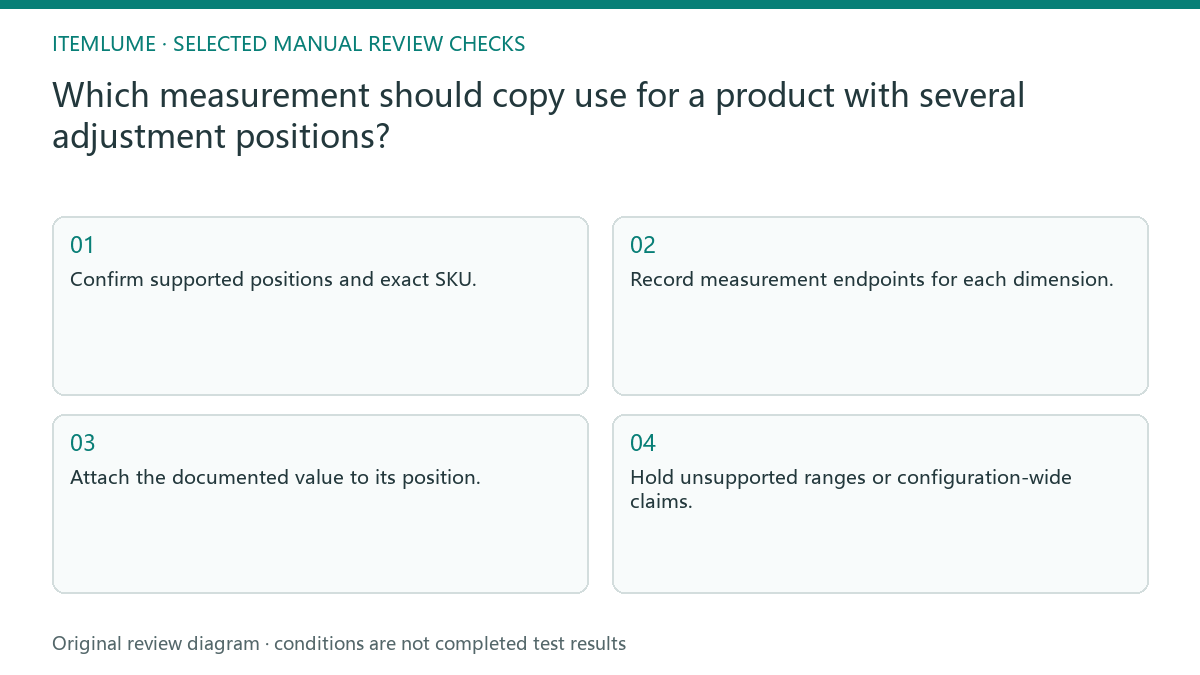
- Confirm supported positions and exact SKU.
- Record measurement endpoints for each dimension.
- Attach the documented value to its position.
- Compare the illustration with that same state.
- Hold unsupported ranges or configuration-wide claims.
A fictional adjustable stand
Fictional exercise: an adjustable stand has documented low and high positions, but a campaign places the high-position height beside a picture of the low state. The review identifies the state mismatch before questioning the number itself. The product and measurements are hypothetical; no stand was measured or operated.
The seller either changes the picture to the documented high state or labels both states clearly. If the source has no verified intermediate range, the draft does not invent one. Stop when a generated hinge position does not correspond to a supported configuration; a believable pose is not an engineering fact.
Review measurements whenever the configuration changes
Retain the state identifiers, source endpoints, values, and approved views together. When a designer changes the pose or assembles a different accessory, recheck the associated figures. Otherwise a valid measurement can become misleading solely because the image no longer shows the state it describes.
Itemlume can help organize those facts and create illustrative product visuals, but it does not measure or test adjustment mechanisms. Obtain appropriate supplier records and specialist confirmation for operational or performance questions. Stop the dimension claim when the state or endpoints are unclear rather than choosing the largest number for stronger marketing.
Position and measurement record
| Field | Evidence | Accept only when |
|---|---|---|
| Position identifier | Supported configuration list | State is real |
| Measurement endpoints | Dimensioned source | Same points compared |
| Advertised value | Merchant measurement record | Belongs to pictured state |
| Adjustment range | Documented limits | Not inferred from render |
Use this matrix as a manual review record and add your own real evidence. Its conditions are not completed test results.
Sources and further reading
Sources for this page were checked on . Platform rules can change; verify the current source before publishing. Prompt examples and workflow recommendations are Itemlume editorial guidance, not independently measured results.
Frequently asked questions
Can the maximum height describe every view?
Not without making its state clear. Pair the value with the configuration it measures.
Does an AI pose prove a supported setting?
No. Check the real mechanism documentation or appropriate measured evidence.
Why record endpoints?
They define what the number means. Overall height and usable clearance are not interchangeable measurements.
BUILD FROM A PRODUCT YOU KNOW
Put this workflow into practice with your own product.
Explore the relevant tool first. AI copy and concept planning are free after sign-in. Image and video generation require available credits and the applicable account access.
Open A+ product pages Check pricing and credits