 Itemlume
DIAGNOSTIC GUIDE / Product videos
Why is my phone footage blown out next to the generated product video?
Identify the phone clip’s color interpretation before grading it to match generated footage. Mixed HDR and SDR materials can look different in one sequence because of input and output handling. Preserve the originals and test a defined color-management route instead of judging only the preview monitor. The diagnosis follows one representative frame through the actual viewing and delivery route.
Locate the color-space change before regrading
An exposed-looking image can come from a mismatch in interpretation, not an overexposed camera original. A creative exposure correction applied before that distinction can damage usable highlight information or shift brand colors. Input identification, working space and intended delivery need separate entries.
Record the file’s stated color interpretation rather than guessing HDR from vividness. The viewing application, timeline interpretation and export can each change appearance. Compare a neutral reference object as well as the product so a display-wide shift is distinguishable from a local color edit.
Compare source, timeline and exported frame
Inspect the source clip metadata and the editor’s actual interpretation. Record the generated clip’s delivery characteristics separately. Choose the intended output with the editor’s current color-management guidance, compare unchanged source and correctly interpreted preview, and review a short export in the planned viewing environment before grading the whole ad.
In the external editor, check how each source is interpreted and how the SDR delivery is produced. Save representative source and exported frames with their context. Avoid prescribing one brightness adjustment for every camera, generated source or platform preview.
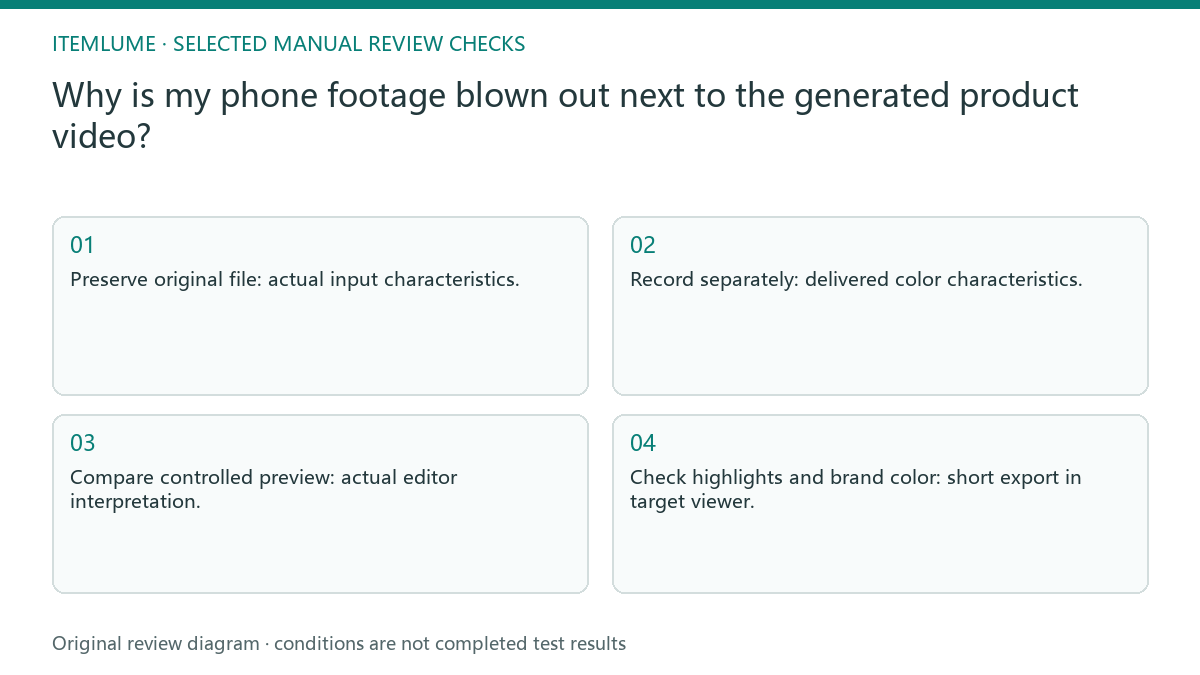
- Preserve original file: actual input characteristics.
- Record separately: delivered color characteristics.
- Compare controlled preview: actual editor interpretation.
- Check highlights and brand color: short export in target viewer.
A mixed HDR and SDR product sequence
Fictional exercise: a phone shot of an amber bottle looks blown out beside a generated studio shot. Both show the same approved product. The editor makes a diagnostic sequence documenting source interpretation and output choice, checks a short exported section, and only then adjusts exposure. The example has no prescribed universal brightness value.
The fictional sequence alternates a phone clip and a generated product shot. First establish which segment shifts in the final export, then compare the chosen conversion on that same segment. The exercise does not certify either source’s color accuracy or any platform playback pipeline. If the source and export agree in one viewer but not another, record that split instead of recoloring the product. Choose the intended delivery conditions with the editor and compare there; one agreeable preview cannot certify every device or service.
Reject a correction that falsifies the product color
Stop if the original genuinely has clipped highlights or if the viewing chain is undocumented. Color management cannot recover product evidence that the source did not record.
Approval requires readable highlights and a product color consistent with verified references under stated conditions. Keep a changed viewing condition separate from an actual edit. The editor handles color interpretation and tone mapping. Itemlume’s generated clip is one input asset, not an automatic mixed-footage color-finishing service.
Phone source to delivery review: decision worksheet
| Check | Evidence to record | Review action |
|---|---|---|
| Phone source | Actual input characteristics | Preserve original file |
| Generated source | Delivered color characteristics | Record separately |
| Working route | Actual editor interpretation | Compare controlled preview |
| Delivery review | Short export in target viewer | Check highlights and brand color |
Use this matrix as a manual review record and add your own real evidence. Its conditions are not completed test results.
Sources and further reading
Sources for this page were checked on . Platform rules can change; verify the current source before publishing. Prompt examples and workflow recommendations are Itemlume editorial guidance, not independently measured results.
Frequently asked questions
Can I fix washed-out color by increasing saturation?
That may hide a color-management error. Inspect the source interpretation and SDR delivery first.
Does a timeline preview prove the exported result?
No. Compare the exported frame under documented viewing conditions as well.
Who handles the conversion?
The external video editor controls color management; Itemlume does not certify the delivery pipeline.
BUILD FROM A PRODUCT YOU KNOW
Put this workflow into practice with your own product.
Explore the relevant tool first. AI copy and concept planning are free after sign-in. Image and video generation require available credits and the applicable account access.
Open Product videos Check pricing and credits