 Itemlume
PRACTICAL ANSWER / A+ product pages
How do I say an accessory fits a device without claiming full compatibility?
Use three separate claims: what the accessory physically accommodates, which functions have been checked, and which devices were actually tested. For every unverified feature, say it is unknown. A sleeve may hold a tablet while its magnetic cover function remains untested; “fits” must not silently become “fully compatible.”
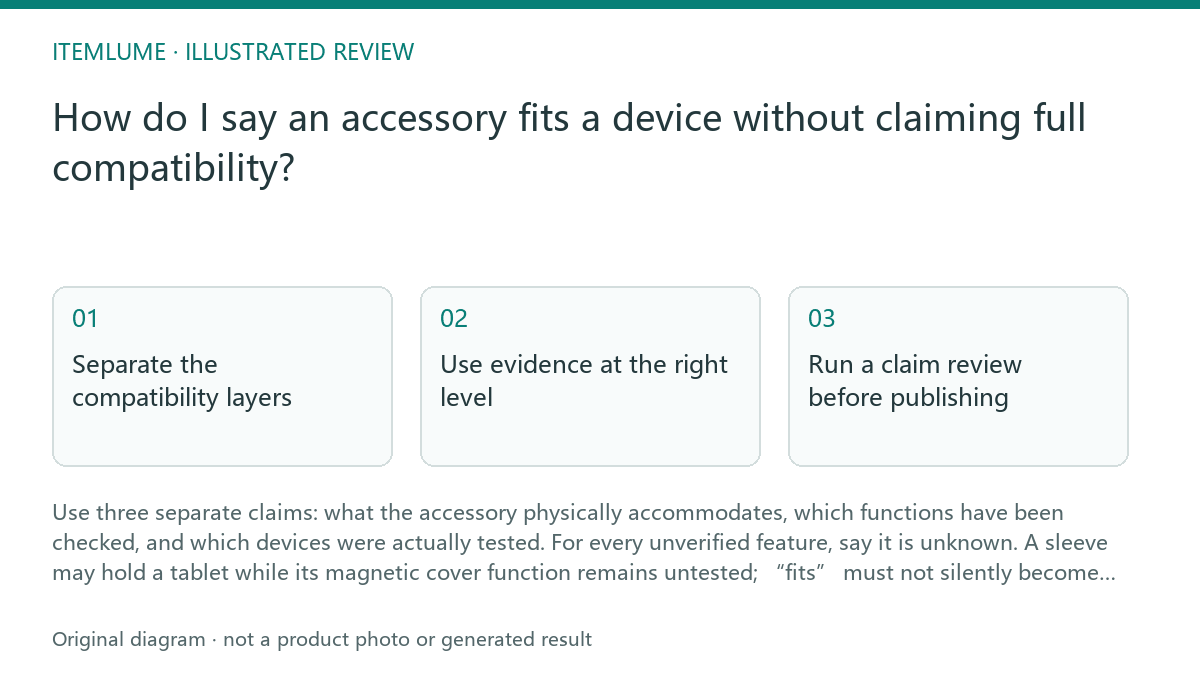
Separate the compatibility layers
Start with physical dimensions. State the measured internal space or supported device dimensions and identify what is being accommodated: body width, height, thickness, camera bump, or a case. This supports a physical-fit statement only. It does not establish that buttons, speakers, cameras, charging ports, magnets, or hinges align.
Then describe interface and function. A magnetic cover requires more than enough space: the device and accessory must have the relevant magnetic placement and behavior. A cable opening may line up physically while the connector, protocol, charging behavior, or data function remains unverified. Keep these claims in separate sentences and label unknowns plainly.
Use evidence at the right level
Build a device matrix with three fields: physically checked, functionally checked, and not checked. Record the exact device model, generation or size where relevant, accessory configuration, and test result. Do not turn a family name into coverage for every model in that family.
A useful listing might say: “The sleeve accommodates a tablet measuring up to [fictional example] 25.0 cm by 17.5 cm by 0.8 cm. Storage fit was checked with Device A. Magnetic cover wake or sleep behavior has not been tested.” The bracketed figures are fictional; replace them only with your own documented measurements.
Run a claim review before publishing
Review each sentence against its evidence. Replace “compatible with” when the evidence proves only size. Use “designed to accommodate” for a dimensional claim and reserve “tested with” for a named device and checked behavior. If the result depends on a case, orientation, adapter, or user setup, include that condition.
Stop the review when a material function remains unknown and the copy would lead a buyer to rely on it. At that point, either test the function, remove the implication, or state the limitation next to the relevant claim. Do not hide a qualification in a distant note or image.
- List every proposed claim, including text embedded in images.
- Map each claim to a measurement, named-device test, specification, or unknown status.
- Split physical fit from interface and functional behavior.
- Check conditions such as case use, orientation, adapters, and model generation.
- Publish only claims whose wording matches the evidence; otherwise revise or test.
Make the creative agree with the copy
Images can create a stronger compatibility impression than the words. If a tablet is shown inside a sleeve with a magnetic cover folded into an active position, buyers may infer that wake, sleep, attachment, or alignment was verified. Use a neutral fit illustration when only dimensions are known, and label any tested setup specifically.
Keep the sold accessory visually distinct from the device and from excluded extras. A short note such as “device shown for fit reference; magnetic function not tested” is useful when the image could imply more. This is workflow advice for reducing ambiguity, not a claim that a platform will interpret or enforce the disclosure.
Topic-specific review
| Observation | Next check | Pass condition |
|---|---|---|
| The sleeve encloses the tablet body with measured clearance. | Record the device model, dimensions, case condition, and orientation. | Copy says the sleeve accommodates the stated dimensions, without claiming functional compatibility. |
| The tablet is shown with a magnetic cover closed or attached. | Check attachment, alignment, and any wake or sleep behavior separately. | Each checked behavior names the tested device; unknown behavior is stated as untested. |
| The listing says “compatible with [family name].” | Compare the wording with the device matrix and model-specific evidence. | The claim is narrowed to named tested models or replaced with a dimensional statement. |
| A port opening appears aligned in the image. | Verify connector access and charging or data behavior with the intended setup. | The image is not used as proof of protocol or performance. |
Sources and further reading
Sources for this page were checked on . Platform rules can change; verify the current source before publishing. Prompt examples and workflow recommendations are Itemlume editorial guidance, not independently measured results.
Frequently asked questions
Can I use “fits” if I have measured the interior?
Yes, for a clearly defined physical-fit claim. State the relevant dimensions and conditions; do not imply that every accessory function was checked.
Does a device family name prove compatibility?
No. Models within a family can differ in dimensions, magnets, ports, or behavior. Name tested models or describe the measured fit instead.
What should I say about an untested magnetic cover?
State that physical accommodation was checked if true, and that magnetic attachment or wake and sleep behavior has not been tested.
BUILD FROM A PRODUCT YOU KNOW
Put this workflow into practice with your own product.
Explore the relevant tool first. AI copy and concept planning are free after sign-in. Image and video generation require available credits and the applicable account access.
Open A+ product pages Check pricing and credits