 Itemlume
DIAGNOSTIC GUIDE / Product images
Can I use a benefit poster as my Douyin Shop main product image?
Do not assume a benefit poster is suitable for the main product image simply because it looks persuasive. A main-image slot and promotional placement serve different roles and can have different current requirements. Check the exact Douyin Shop category and upload guidance in the seller account, then review product identity, text overlays, and included items against those requirements.
Identify the actual image slot
Record the category, product, account, and intended placement before designing. Is this the first listing image, a secondary detail image, or a campaign creative? A rule shown for one slot should not be carried into another without verification. Keep a dated record of the relevant console instruction.
Douyin’s public publishing guidance is a starting source, while live category requirements and account notices may need direct confirmation. This guide does not quote a universal text allowance or promise approval. If the current instruction is inaccessible, ask the store operator to obtain it rather than infer it from a competitor’s live listing.
Separate product evidence from promotional emphasis
A poster often emphasizes a claim, discount, or decoration; the main image must also help buyers identify the actual offered product. Check whether added text covers packaging, changes the apparent bundle, or uses a benefit the seller has not documented. A persuasive headline cannot replace those factual checks.
Keep a clean product-first version alongside the promotional layout. Use only supported facts when preparing either. Do not describe the clean version as automatically compliant, because the final account/category requirements still apply. The comparison helps the operator choose an appropriate asset rather than forcing one poster into every placement.
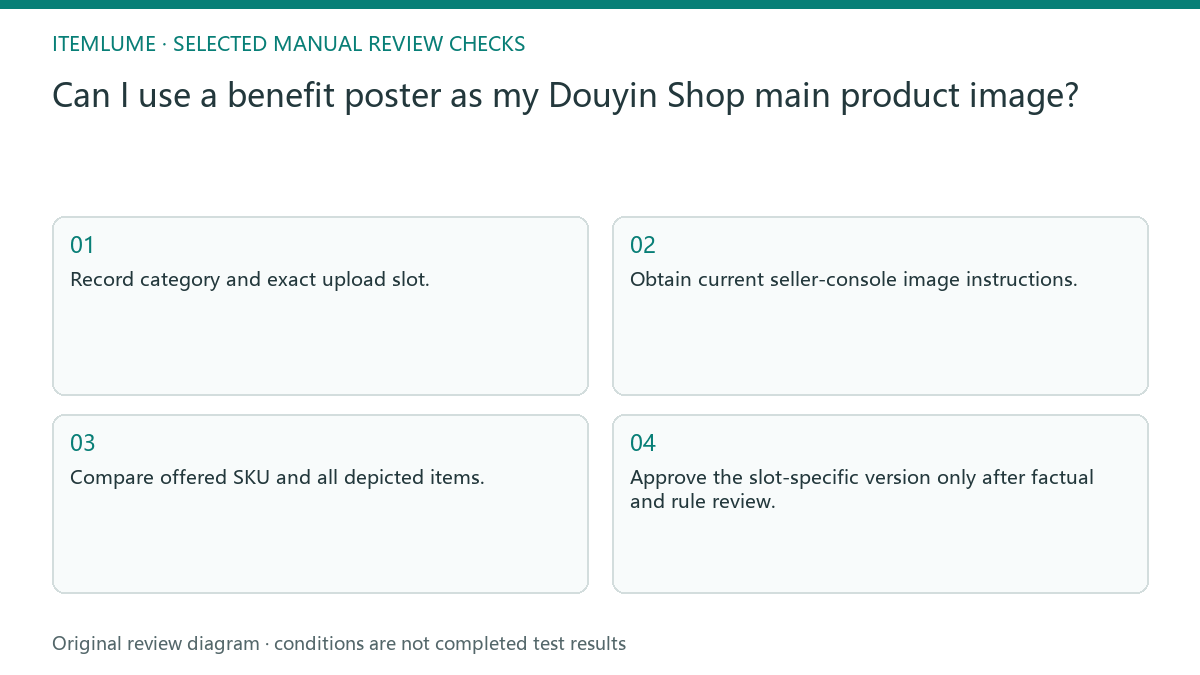
- Record category and exact upload slot.
- Obtain current seller-console image instructions.
- Compare offered SKU and all depicted items.
- Mark text overlays and unsupported benefit claims.
- Approve the slot-specific version only after factual and rule review.
A fictional desk-lamp placement exercise
Fictional exercise: a desk-lamp poster contains a large comfort slogan and a decorative charger. The seller wants to use it as the first product image. The review asks whether the charger is included and whether that slogan and overlay suit the actual current image slot. No Douyin submission was tested here.
Prepare a product-first candidate without the decorative charger and keep the poster for a separately reviewed campaign placement. If the benefit lacks evidence or the account instructions remain unclear, hold that claim or placement. This exercise demonstrates asset selection, not a guaranteed route through platform moderation.
Review after upload without confusing acceptance and accuracy
When the authorized store operator uploads the chosen file, inspect the actual listing preview for crop and product visibility. A successfully uploaded image does not establish the truth of a benefit, and a previously published competitor image does not establish permission for your category. Preserve the final file and rule reference together.
Itemlume can prepare product imagery and help write verified copy; it does not connect to Douyin Shop or automatically check moderation. Publishing and category review remain manual external tasks. Stop if the exact offer or placement requirements are unknown rather than claiming that a white background or small caption guarantees approval.
Slot-specific image review
| Question | Evidence | Decision |
|---|---|---|
| Which placement? | Actual upload slot and category | Use the matching instructions |
| Is the charger included? | Merchant bundle record | Depict only supported offer |
| Can the benefit be claimed? | Verified product evidence | Remove unsupported claim |
| Does the preview hide the item? | Actual listing crop | Revise the slot-specific asset |
Use this matrix as a manual review record and add your own real evidence. Its conditions are not completed test results.
Sources and further reading
Sources for this page were checked on . Platform rules can change; verify the current source before publishing. Prompt examples and workflow recommendations are Itemlume editorial guidance, not independently measured results.
Frequently asked questions
Can I copy an accepted competitor image?
Its publication does not verify your offer or current category requirements. Make your own asset and inspect your account guidance.
Does clean white background guarantee approval?
No. Product facts and the actual current requirements still need review.
Can Itemlume publish it automatically?
This guide describes a manual external seller workflow, not an integrated Douyin publishing capability.
BUILD FROM A PRODUCT YOU KNOW
Put this workflow into practice with your own product.
Explore the relevant tool first. AI copy and concept planning are free after sign-in. Image and video generation require available credits and the applicable account access.
Open Product images Check pricing and credits