 Itemlume
DIAGNOSTIC GUIDE / Product videos
Why does slow motion bend my product label even though the original clip is correct?
Check the retiming method before regenerating a product clip whose original label is correct. Adobe Premiere distinguishes frame sampling, frame blending and optical flow; the last method synthesizes intermediate frames. Compare the same source interval under each suitable method and inspect the lettering during motion. This is an external editing diagnosis, not evidence that the source video or H3 model necessarily failed.
Locate the first changed frame
Keep the original-speed clip and identify the interval where the label is readable. Compare it with the retimed output at the same product position. A warped label already present in the source is a source problem; a defect appearing only between source frames points to the editing step.
Inspect fine lettering, cap edges and nearby occlusions rather than only the large product silhouette. Pause at the transition and step through frames. A smooth wide shot can conceal a brief change in the brand name that matters when the buyer watches closely.
Compare interpolation with one source interval
Export short labeled tests using the same source, timing and framing. Frame sampling, blending and optical flow solve retiming differently; none should be approved solely because its name sounds more advanced. Compare motion quality together with the product evidence that must remain unchanged.
If slower playback cannot preserve the label acceptably, reduce the slowdown or choose another supported interval. A simpler edit may be preferable to a smooth but false product mark. The native source and every test stay separate so an unsuccessful experiment does not replace the approved file.
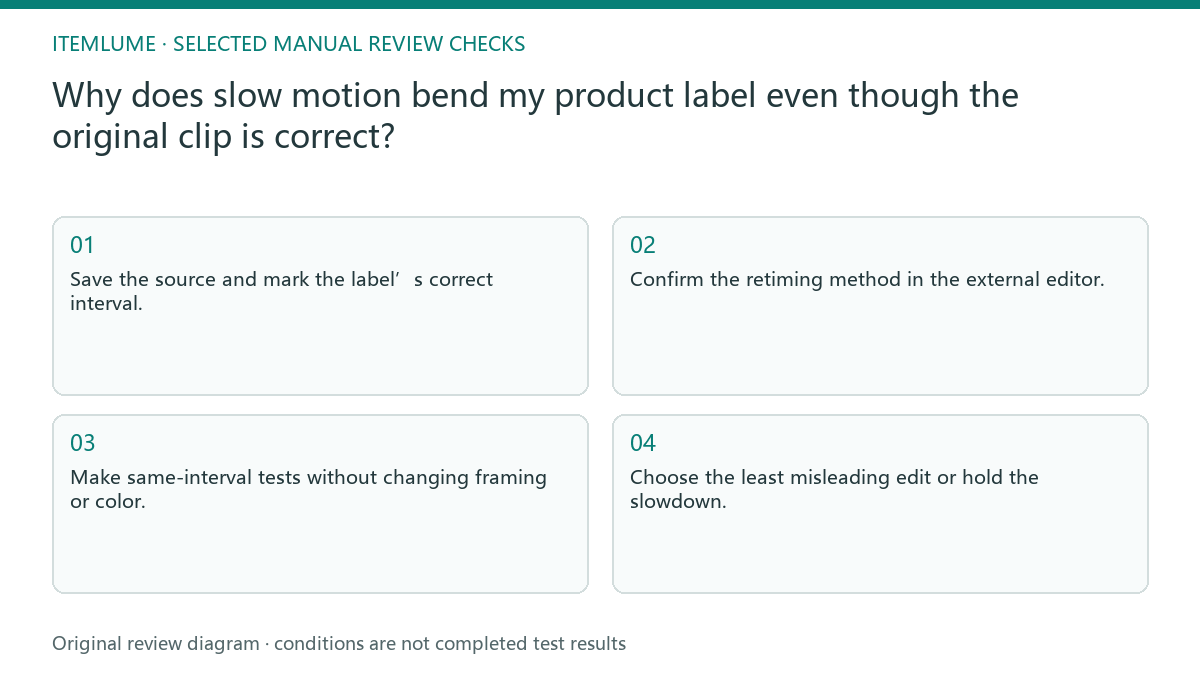
- Save the source and mark the label’s correct interval.
- Confirm the retiming method in the external editor.
- Make same-interval tests without changing framing or color.
- Step through intermediate lettering and occlusion frames.
- Choose the least misleading edit or hold the slowdown.
Fictional exercise: a turning bottle cap
In this fictional exercise, a bottle turns and its label passes behind a highlight. The original frames retain the name, while one optical-flow test creates a bent character between them. The example is invented and does not measure any model’s error rate.
A sampling test preserves the lettering but looks less fluid. The fictional reviewer chooses a smaller slowdown and evaluates both label fidelity and motion again. If neither version meets the brief, the stop decision is to keep the normal-speed shot, not claim that generated lettering has been corrected universally.
Approve the final edit after export
Replay the chosen exported file, including the transition into and out of the retimed interval. Check the actual delivery scale as well as paused label frames. Save the source interval, method and speed with the acceptance record rather than approving an editor preview alone.
Itemlume creates visual material; retiming and postproduction are separate external work. Stop when the final export preserves the approved name and visible product details while meeting the motion brief. If later edits change the speed or interpolation, reopen this check instead of relying on the previous approval.
Retiming comparison
| Observation | Manual check | Stop or approve |
|---|---|---|
| Source label correct | Mark source frame | Retain source evidence |
| Sampling jerky | Compare product identity | Choose by brief |
| Blending ghosted | Inspect small text | Hold unreadable marks |
| Optical flow bends text | Inspect intermediate frame | Reduce or reject retiming |
Use this matrix as a manual review record and add your own real evidence. Its conditions are not completed test results.
Sources and further reading
Sources for this page were checked on . Platform rules can change; verify the current source before publishing. Prompt examples and workflow recommendations are Itemlume editorial guidance, not independently measured results.
Frequently asked questions
Should I regenerate the original?
Only if its own product evidence is wrong; inspect the editing method first when the source is correct.
Is optical flow always better?
No. Judge lettering, edges and motion in the exported test, not the method’s name.
Can I inspect only the end frame?
No. Intermediate frames and transitions can contain the retiming defect.
BUILD FROM A PRODUCT YOU KNOW
Put this workflow into practice with your own product.
Explore the relevant tool first. AI copy and concept planning are free after sign-in. Image and video generation require available credits and the applicable account access.
Open Product videos Check pricing and credits