 Itemlume
DIAGNOSTIC GUIDE / Product videos
My ad audio never clips. Why does it still sound much louder than other videos?
No clipping does not mean an advertisement has comfortable or comparable loudness. Peak level describes the highest excursions, while integrated loudness summarizes the programme over time. Measure the complete final video in an external audio workflow, compare like-for-like playback, and use the actual delivery requirement. There is no single number this guide can guarantee for every platform.
Separate peak safety from listening experience
A voiceover can be consistently forceful even when its peaks stay below the ceiling. Conversely, one short impact can have a high peak while most of the ad sounds quiet. Record both observations rather than treating a green peak meter as approval of the entire soundtrack.
Compare the ad with a relevant reference at the same player volume and device setting. Avoid comparing a phone speaker with headphones or one player’s normalized playback with another player’s raw file. Keep the reference identity and playback conditions so the comparison remains useful rather than a vague loud or soft judgement.
Measure the finished programme from beginning to end
Adobe’s loudness-meter documentation distinguishes integrated, short-term, and peak readings. Metering observes the signal; it does not itself change the audio. Reset the measurement and play the whole final delivery, including opening and ending sections, instead of measuring only the loudest sentence.
Use a target only when the actual publisher or delivery specification provides it. If none is specified, record the evidence and seek a production decision without claiming compliance. The selected adjustment must preserve understandable speech and avoid unnecessary pumping, distortion, or a sudden loud ending.
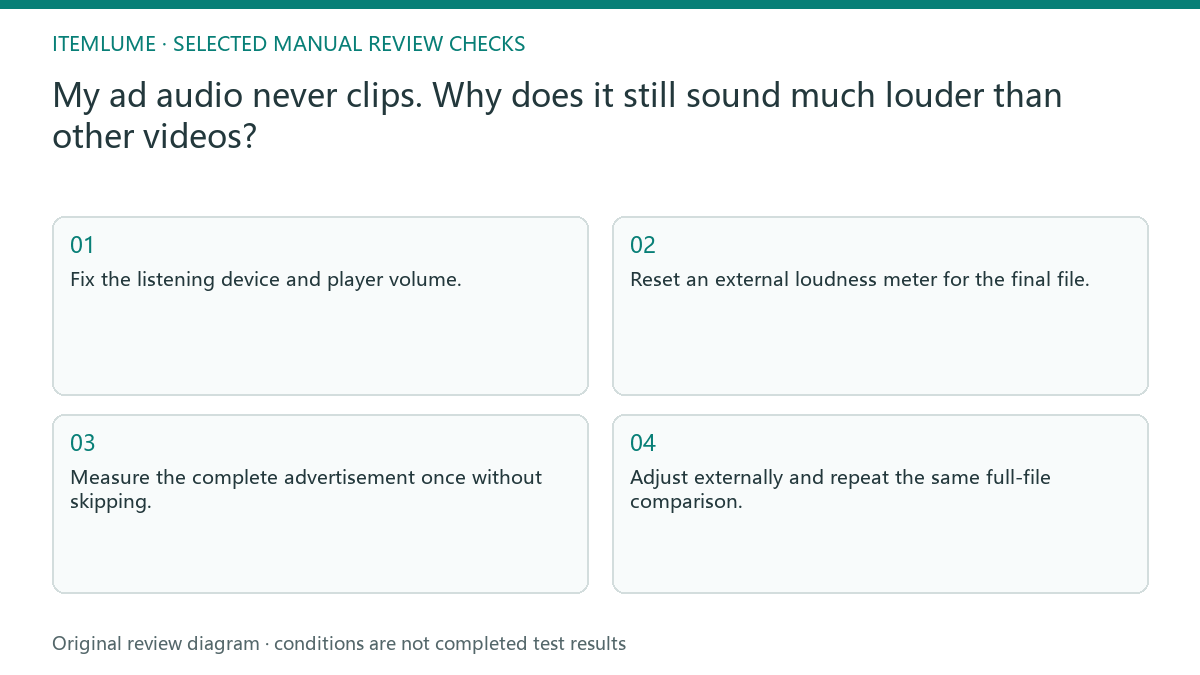
- Fix the listening device and player volume.
- Reset an external loudness meter for the final file.
- Measure the complete advertisement once without skipping.
- Record peak, integrated reading, and distracting sections.
- Adjust externally and repeat the same full-file comparison.
A fictional short-ad audio review
Fictional exercise: a fifteen-second ad has a dense music bed and an energetic voiceover. Its peaks do not clip, but it feels louder than the chosen comparison. The review records the whole-file loudness and the sections that obscure speech. No actual Itemlume audio output or platform result was measured.
Reduce the music relative to the voice as a separate editing change, then measure and listen again under the same conditions. If reducing overall level makes speech disappear, stop treating master volume as the only control. Resolve the balance and intelligibility before declaring the soundtrack ready.
Approve the published version separately
A publisher may process uploaded audio, so review the actual posted preview after the production file has passed its checks. That preview is a different review stage, not evidence that every viewer will hear identical volume. Retain the delivery file and record any observed difference without inventing a platform normalization rule.
Itemlume’s current assembled TVC is silent. Voice recording, music balance, and loudness measurement are external tasks, not built-in site controls. Stop delivery when the required target or audio balance remains unresolved. A filename such as broadcast-safe is not proof of a measured compliant file.
Audio review record
| Observation | Evidence | Decision |
|---|---|---|
| No clipped peaks | Peak reading over whole file | Still review perceived loudness |
| Dense music hides speech | Fixed-device listening comparison | Adjust voice and music balance |
| Short sentence measured only | Complete programme measurement | Reset and measure entire delivery |
| Posted preview differs | File and actual preview comparison | Record publisher-stage change |
Use this matrix as a manual review record and add your own real evidence. Its conditions are not completed test results.
Sources and further reading
Sources for this page were checked on . Platform rules can change; verify the current source before publishing. Prompt examples and workflow recommendations are Itemlume editorial guidance, not independently measured results.
Frequently asked questions
Is peak level the same as loudness?
No. It records a different property and cannot describe how forceful the entire advertisement sounds over time.
Does the meter fix the soundtrack?
No. It measures. Level and balance changes need to be made in the external editing or audio workflow.
Can I use one target for every channel?
Use the current delivery requirement for that channel. Do not describe an arbitrary shared target as universal compliance.
BUILD FROM A PRODUCT YOU KNOW
Put this workflow into practice with your own product.
Explore the relevant tool first. AI copy and concept planning are free after sign-in. Image and video generation require available credits and the applicable account access.
Open Product videos Check pricing and credits