 Itemlume
DIAGNOSTIC GUIDE / Product videos
Why can I assign a photo to a Shopify variant but not its product video?
Product media and variant-associated media are different roles. Shopify’s current media help explains that videos and 3D models cannot be assigned as variant media in the same way as a photo. Keep a product-level video clearly identified, and separately inspect any theme customization that claims to switch videos when buyers choose a variant.
Name what the selector actually controls
Inspect the product’s media library and the selected variant’s assigned image separately. A video visible in the gallery belongs to the product; its presence does not show that the currently chosen SKU owns it. Write down the role rather than inferring it from the upload order.
A theme may hide, reveal or reorder gallery items. That behavior can be useful, but it is presentation logic with its own maintenance needs. Ask the store operator whether the behavior is native configuration or customization before promising customers an exact variant demonstration.
Use a variant-playback matrix
Give each video an explicit SKU or family scope. For a shared video, record which details apply to all variants and which visible color belongs only to the filmed item. A neutral gallery caption can explain that scope without making the buyer guess.
For customized switching, test the initial page, every selector and the return to a previous selection. Include mobile playback and a direct variant link. Record whether the video changes, its poster changes, or only a still image changes; those are not equivalent checks.
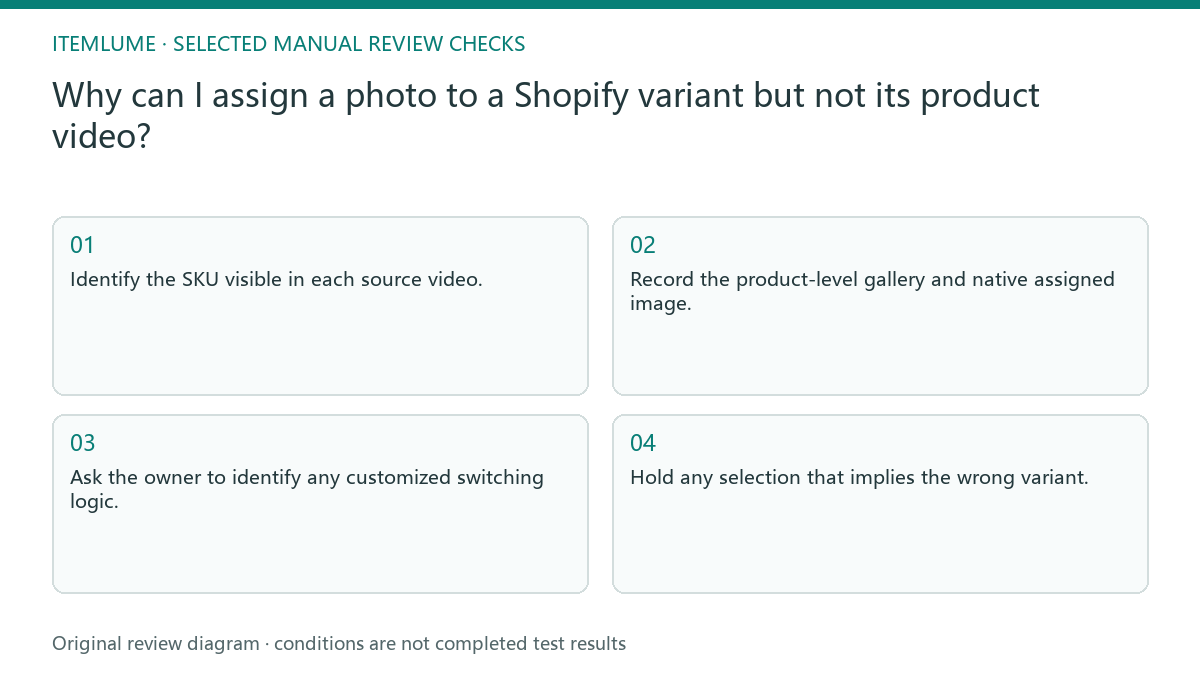
- Identify the SKU visible in each source video.
- Record the product-level gallery and native assigned image.
- Ask the owner to identify any customized switching logic.
- Select every variant and replay from a fresh page load.
- Hold any selection that implies the wrong variant.
Fictional exercise: one video, two colors
This fictional exercise uses a red kettle demonstration on a product offering red and black. The black photo changes correctly, but the gallery still plays the red kettle. The invented scenario is not a measured theme failure or an Itemlume integration test.
The team first labels the red demonstration and decides whether its actions genuinely apply to both variants. If exact color playback is required, a qualified theme maintainer evaluates the separate implementation. The stop condition is an understandable selection journey, not merely an uploaded black video.
Keep production and store publishing separate
Create a video around an approved variant reference and save its file name with that SKU. Review the actual clip for color, controls and packaging before handing it to the store. A shared family demonstration should not invent details missing from other variants’ records.
Itemlume output does not establish a Shopify media assignment or modify a theme. Uploading, gallery captions and customization are external manual tasks. Approve the creative file and the storefront behavior as two deliverables; reopen either approval if the underlying variant or theme changes.
Variant video acceptance
| Observation | Manual check | Stop or approve |
|---|---|---|
| Photo assigned | Select exact variant | Correct still image |
| Shared video | Identify filmed SKU | Scope understandable |
| Custom switch | Replay each option | Correct intended clip |
| Direct variant URL | Fresh mobile load | No misleading mismatch |
Use this matrix as a manual review record and add your own real evidence. Its conditions are not completed test results.
Sources and further reading
Sources for this page were checked on . Platform rules can change; verify the current source before publishing. Prompt examples and workflow recommendations are Itemlume editorial guidance, not independently measured results.
Frequently asked questions
Can I assign a video like a photo?
Shopify’s media help distinguishes the native photo association from product-level videos. Verify custom display separately.
Must every color have a separate clip?
Decide from the buyer’s question and real variant differences, not from an assumed platform requirement.
Will generating a clip fix my selector?
No. Creative generation and theme behavior are independent work.
BUILD FROM A PRODUCT YOU KNOW
Put this workflow into practice with your own product.
Explore the relevant tool first. AI copy and concept planning are free after sign-in. Image and video generation require available credits and the applicable account access.
Open Product videos Check pricing and credits