 Itemlume
DIAGNOSTIC GUIDE / A+ product pages
Can my ad say from $25 when the pictured variant costs $39?
A from-price and the price of the pictured variant are different facts. If the image shows a $39 version, do not let $25 appear to be that version’s actual price. Identify the cheapest qualifying SKU, label the depicted version accurately, and check the selected landing offer. This is a consistency review, not legal clearance or a promise that a platform will approve the advertisement.
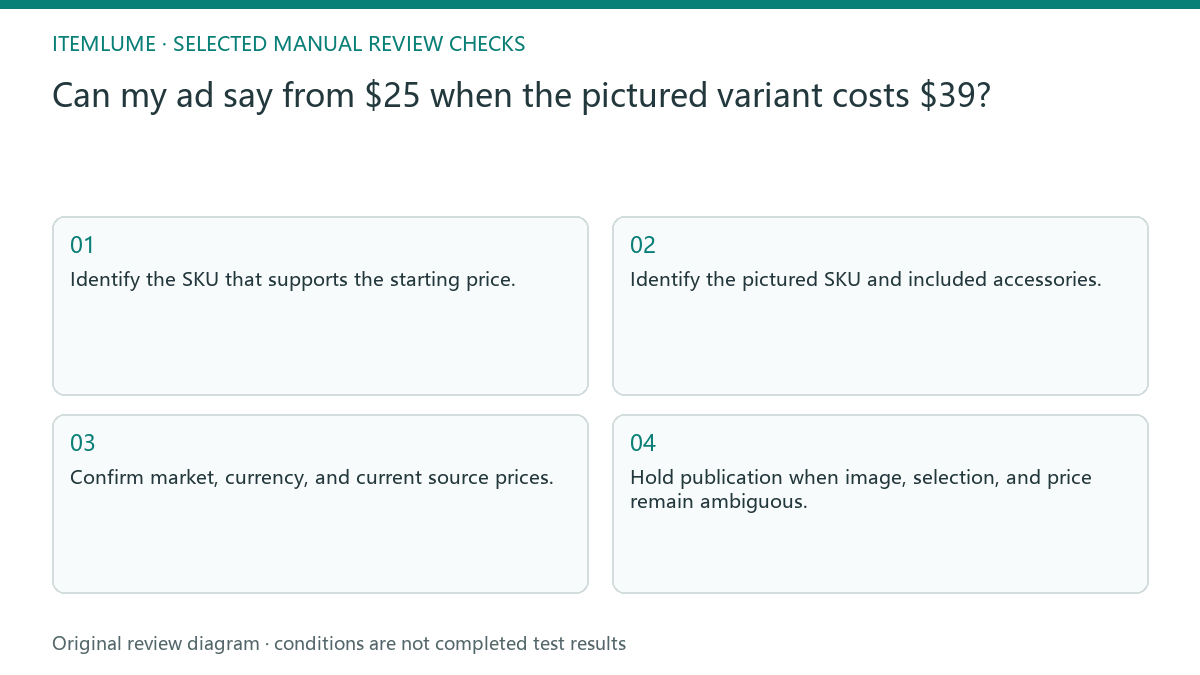
Name both offers before writing the headline
Create two records: the offer that supports the starting price and the offer actually shown. Include variant name, included components, quantity, currency, market, and current price source. If those records refer to different products, the creative needs to communicate the distinction rather than quietly borrowing the cheaper number.
A pictured accessory can change the apparent offer even when the base model name is identical. Do not compare an empty package, base unit, and complete bundle as if buyers receive the same thing. Review image content alongside price copy, not as an independent decorative layer.
Check the selected landing variant
Google Merchant Center price guidance emphasizes consistency between product data, the relevant landing offer, and checkout. For this task, check the exact variant selected by the destination link. A landing page displaying a range does not prove that the pictured version costs the bottom of that range.
Use actual merchant records and a reviewed page state. This guide does not require a purchase or provide universal approval wording. When a prominent starting price could be read as the depicted version’s price, revise the creative so the real version and its price remain clear, then seek the actual publisher’s requirements.
- Identify the SKU that supports the starting price.
- Identify the pictured SKU and included accessories.
- Confirm market, currency, and current source prices.
- Open the destination and inspect its selected variant.
- Hold publication when image, selection, and price remain ambiguous.
A fictional lamp campaign
Fictional exercise: a basic lamp costs $25 and a pictured brass-finish version costs $39. The creative currently shows only “from $25” beside the brass model. The seller records both offers and prepares a clearer layout naming the depicted version. These hypothetical prices are not current merchant data or an Itemlume pricing claim.
The next check inspects the destination’s preselected version and the displayed offer. If the link selects the basic lamp while the picture continues to imply brass, the handoff still needs clarification. Stop when the qualifying offer cannot be found or the price is no longer current; do not keep an attractive old figure.
Keep a price-to-image approval trail
Retain the reviewed creative, the SKU records, and the destination state together. If the merchant changes variant prices, revisit artwork containing baked-in prices and starting-price statements. Updating the catalogue alone does not update text already drawn into a campaign image.
Itemlume can help write copy from confirmed prices but does not verify checkout or synchronize store offers. Its output is not advertising-law advice or a guarantee of platform acceptance. Approve the facts only after the merchant has resolved which product each visible price describes and how the customer reaches that offer.
Starting-price and pictured-offer match
| Item | Evidence | Approval condition |
|---|---|---|
| Starting-price SKU | Current qualifying offer | Actually available as described |
| Pictured version | Variant and accessory list | Image corresponds to that offer |
| Landing selection | Reviewed selected variant | Price matches selected version |
| Baked-in artwork price | Creative and merchant record | Current figure used consistently |
Use this matrix as a manual review record and add your own real evidence. Its conditions are not completed test results.
Sources and further reading
Sources for this page were checked on . Platform rules can change; verify the current source before publishing. Prompt examples and workflow recommendations are Itemlume editorial guidance, not independently measured results.
Frequently asked questions
Is a price range enough?
Not if the image makes a particular version appear to cost the lowest figure. Review the depicted and selected offers separately.
Can AI infer the price from the photo?
No. Prices and qualifying conditions must come from current merchant records.
Does this wording guarantee approval?
No. It is a factual consistency process. Check the actual publisher’s current rules and seek appropriate review where needed.
BUILD FROM A PRODUCT YOU KNOW
Put this workflow into practice with your own product.
Explore the relevant tool first. AI copy and concept planning are free after sign-in. Image and video generation require available credits and the applicable account access.
Open A+ product pages Check pricing and credits