 Itemlume
PRACTICAL ANSWER / A+ product pages
How should I name a product color when screens display it differently?
Use the supplier-approved color name as the listing anchor, supported by a controlled physical reference and accurate photography. Add a brief display disclaimer where useful, but do not rename the product to match one unusually bright, dark, warm, or cool screen.
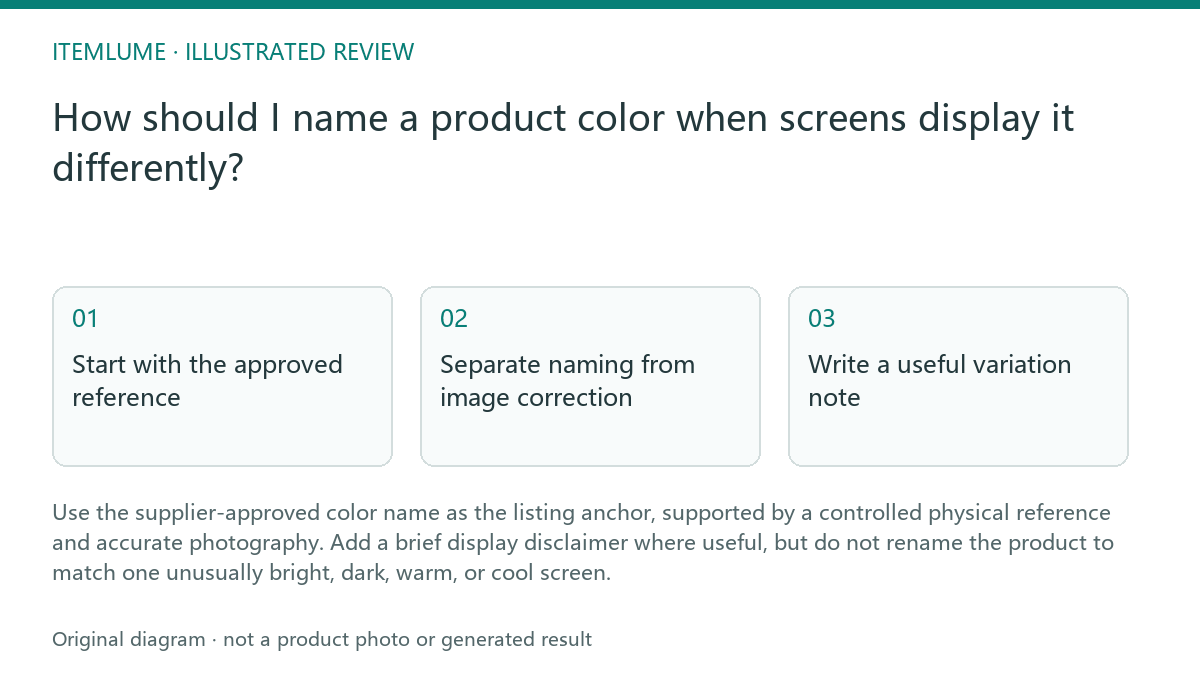
Start with the approved reference
The product name should follow the supplier's approved color name, physical sample, or other documented reference used for purchasing and quality review. If the approved name is Forest Green, keep that name even when a particular photo looks almost black under dramatic lighting. The name identifies the intended product color; it does not promise that every screen will render the same pixels.
Record the reference beside the listing information: approved name, sample identifier if available, and the image set used for review. Avoid replacing a recognized name with a more dramatic description such as Black Green unless the supplier has approved that terminology. A creative shade label can create a second color identity and make customer service, replenishment, and variant selection harder.
- Confirm the supplier-approved color name against the physical sample.
- Review the product under neutral, repeatable lighting rather than only dramatic lifestyle lighting.
- Compare the photograph with the physical reference and identify lighting or white-balance influence.
- Keep the approved name, then add a concise screen-variation note if the difference could affect selection.
- Stop changing the name when the physical reference and approved supplier record agree; investigate the image instead.
Separate naming from image correction
A dark-looking image is an image diagnosis problem before it is a naming problem. Check the original capture, editing history, export profile, and storefront rendition in sequence. The existing image-export workflow is useful here: compare source, export, and displayed versions before deciding that the catalog color is wrong.
Correct exposure, white balance, contrast, and color management only toward the physical reference. Do not brighten Forest Green until it reads as a different green merely because one storefront preview is dim. If an image cannot represent the color reliably, replace or reshoot it and keep the approved product name unchanged.
Write a useful variation note
A variation note should set a reasonable expectation without weakening the listing. For example: “Color may appear different depending on lighting and screen settings. The approved color is Forest Green.” Place it near the variant choice or image area where a buyer evaluates color, not as a substitute for a clear product photograph.
Do not use the note to excuse an avoidable mismatch. It cannot correct a black cast, colored studio light, inaccurate white balance, or an export problem. Show a neutral product view when possible, retain a physical-reference check in the production workflow, and use additional views only when they clarify the same approved color.
Review before publishing
A practical review asks whether the name, reference, and image tell the same story. It does not ask whether every device displays identical color. The pass condition is controlled consistency: the supplier record and physical sample support the name, while the image is close enough to help selection and any material limitation is stated plainly.
If the image still makes the product look like a different variant after correction, stop publication and escalate for a new image or supplier confirmation. Do not solve unresolved evidence by inventing a broader name such as “dark green mix.” That creates ambiguity instead of resolving the underlying color issue.
Topic-specific review
| Observation | Next check | Pass condition |
|---|---|---|
| Forest Green bag looks nearly black under dramatic lighting. | Compare the physical sample, neutral-light image, source file, export, and storefront rendition. | The approved name remains Forest Green and the neutral view does not imply a Black variant. |
| Supplier record says Forest Green but a team member proposes Black Green. | Ask whether the new label is supplier-approved and whether it identifies a separate sellable variant. | Use Forest Green unless documented approval supports a distinct color name. |
| Buyers may see different hues on different screens. | Add a short display-variation note beside the color selection. | The note explains rendering variation without excusing an inaccurate image. |
| Corrected image still conflicts with the physical sample. | Stop publication and request a new image or supplier confirmation. | No unresolved image-versus-reference conflict remains. |
Sources and further reading
Sources for this page were checked on . Platform rules can change; verify the current source before publishing. Prompt examples and workflow recommendations are Itemlume editorial guidance, not independently measured results.
Frequently asked questions
Should I rename Forest Green if it looks black in a photo?
No. Keep the approved supplier name and investigate lighting, white balance, export, and storefront rendering.
Can a screen-variation disclaimer replace accurate photography?
No. It explains normal display differences but does not excuse an avoidable color cast or incorrect image.
What if the supplier and the physical sample disagree?
Pause publication, document the conflict, and obtain supplier confirmation before choosing a customer-facing color name.
BUILD FROM A PRODUCT YOU KNOW
Put this workflow into practice with your own product.
Explore the relevant tool first. AI copy and concept planning are free after sign-in. Image and video generation require available credits and the applicable account access.
Open A+ product pages Check pricing and credits