 Itemlume
DIAGNOSTIC GUIDE / A+ product pages
Why does my promised availability date show a day earlier in another country?
A date can appear earlier in another country when a precise availability timestamp is converted between timezones. First establish what the date means: available to ship, dispatched, or expected arrival. Keep the merchant’s documented timezone and distinguish a calendar statement from a timestamp. Do not invent a delivery promise from a product picture or silently translate one meaning into another.
Identify the event before fixing the date
Ask the seller which event the source record describes. Stock becoming available, an order leaving a warehouse, and a customer receiving it are different events. Record the owner of the estimate and the source document. A copy editor should not relabel an availability date as a delivery deadline to make it sound more helpful.
Also record the market and variant. One size or color may have a different availability date. A single date pasted across the campaign can conceal that difference. Bind every claim to the actual offer instead of choosing the earliest date anywhere in the catalogue.
Compare the timestamp with its visible wording
Google Merchant Center documents availability_date with ISO date-time and timezone conventions. A missing time or timezone can produce default interpretations that differ from the seller’s local intention. Check the exact field value and the corresponding landing-page statement rather than relying on a human-readable date alone.
Write customer copy so the intended event is explicit. If the merchant can verify only a date in a named timezone, say that rather than inventing a customer-local hour. Cross-border arrival requires separate logistics evidence. A timezone conversion changes the clock reading, not the underlying shipping commitment.
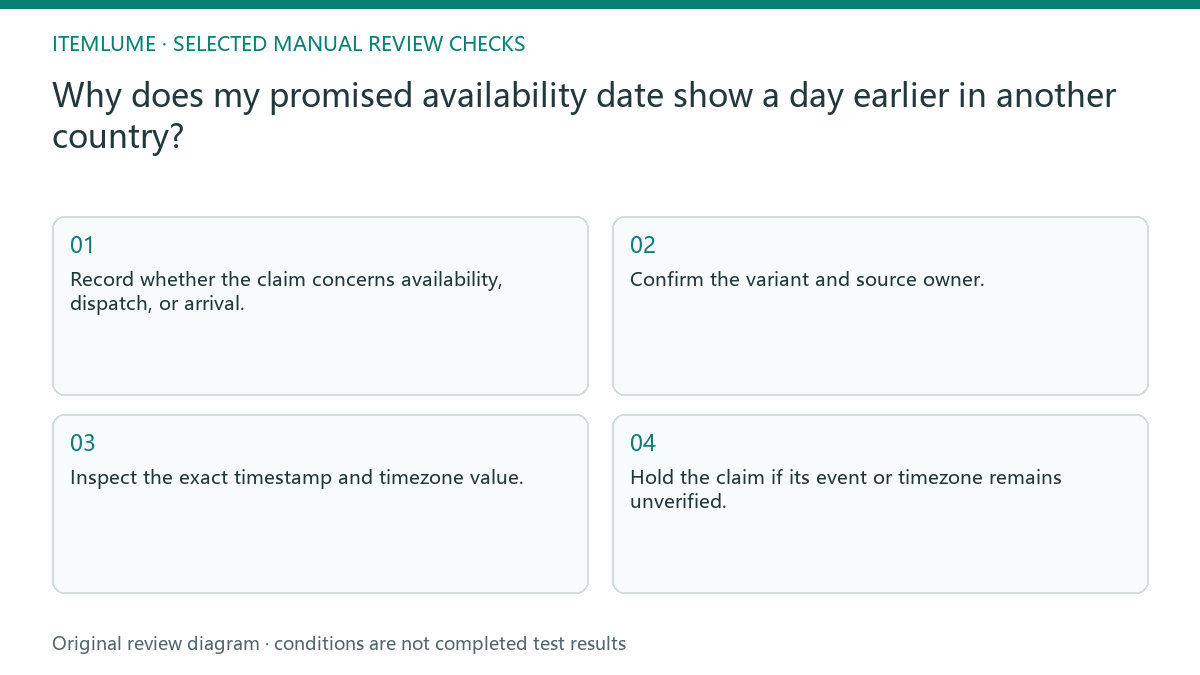
- Record whether the claim concerns availability, dispatch, or arrival.
- Confirm the variant and source owner.
- Inspect the exact timestamp and timezone value.
- Compare it with the visible page and campaign wording.
- Hold the claim if its event or timezone remains unverified.
A fictional preorder schedule
Fictional exercise: a seller records availability at 00:30 on October 20 in UTC+8. A viewer in UTC sees the corresponding instant on October 19. These hypothetical dates illustrate conversion; they are not an Itemlume launch schedule or a measured marketplace display test.
The review keeps the original instant and explains the relevant availability timezone. It does not promise arrival on October 19. If the storefront requires a calendar date rather than a timestamp, the merchant must confirm its interpretation before publishing. Stop when that interpretation is unknown rather than editing the date until the screenshot looks convenient.
Leave fulfillment facts with the merchant
Retain a simple schedule record containing SKU, event, original value, timezone, visible statement, and reviewer. When the supplier changes the schedule, update the whole offer’s relevant wording together. A date embedded in an image also needs review; changing only a machine-readable field leaves customers with conflicting information.
Itemlume text assistance can help rewrite confirmed facts. It cannot verify warehouse inventory, convert an uncertain estimate into a promise, or synchronize a Merchant Center feed. Do not approve availability copy until the merchant confirms both the event and the time basis used by the actual publishing workflow.
Date meaning and timezone record
| Claim | Evidence to check | Acceptable wording |
|---|---|---|
| Available to ship | Merchant availability record | Availability event stated explicitly |
| Dispatch date | Warehouse dispatch estimate | Not relabelled as arrival |
| Timestamp without zone | Publisher field interpretation | Verified timezone included |
| Different variant schedule | SKU-specific source | Matching variant date used |
Use this matrix as a manual review record and add your own real evidence. Its conditions are not completed test results.
Sources and further reading
Sources for this page were checked on . Platform rules can change; verify the current source before publishing. Prompt examples and workflow recommendations are Itemlume editorial guidance, not independently measured results.
Frequently asked questions
Is a one-day difference always an error?
No. It can be a valid timezone conversion. Check whether both displays describe the same instant and event.
Can AI choose the best-looking date?
No. The date must come from the merchant’s verified schedule and the actual publishing field interpretation.
Does availability mean delivery?
No. Stock availability or readiness to ship does not establish when a customer will receive the order.
BUILD FROM A PRODUCT YOU KNOW
Put this workflow into practice with your own product.
Explore the relevant tool first. AI copy and concept planning are free after sign-in. Image and video generation require available credits and the applicable account access.
Open A+ product pages Check pricing and credits