 Itemlume
DIAGNOSTIC GUIDE / Packaging studio
Why does the printer see two spot inks when my packaging uses one brand color?
Do not judge ink count from screen color alone. Compare the actual spot-color definitions and output separations: two similarly looking objects may use differently named inks or different color types. Ask the printer to confirm the intended production plates before changing artwork. Separate an accidental duplicate brand ink from a deliberately required functional printing plate.
Screen similarity can conceal two ink definitions
A swatch’s visual appearance does not identify a printing plate by itself. Imported graphics can retain their own color definitions. Blindly merging names can be equally unsafe if the printer actually needs separate inks for different functions. The decision depends on the approved job, not on a generic one-color rule.
List the job’s intended brand inks and functional inks separately. A screen sample cannot tell whether two names refer to one production ink or to different purposes. Do not invent a universal maximum ink count to make an unfamiliar separation look acceptable.
Trace the unexpected plate to its source object
Collect the printer’s intended ink list and open output preview on the delivered PDF. Trace each unexpected separation back to its objects and source file. Compare names, color types and usage before making a duplicate working version. Review the revised separations with the printer and check the visible artwork again.
Toggle each separation in the actual output preview and note which objects disappear or remain. Compare the placed logo’s source definitions with the main document’s swatches. The useful question is which object produced the extra plate, not which name looks less tidy.
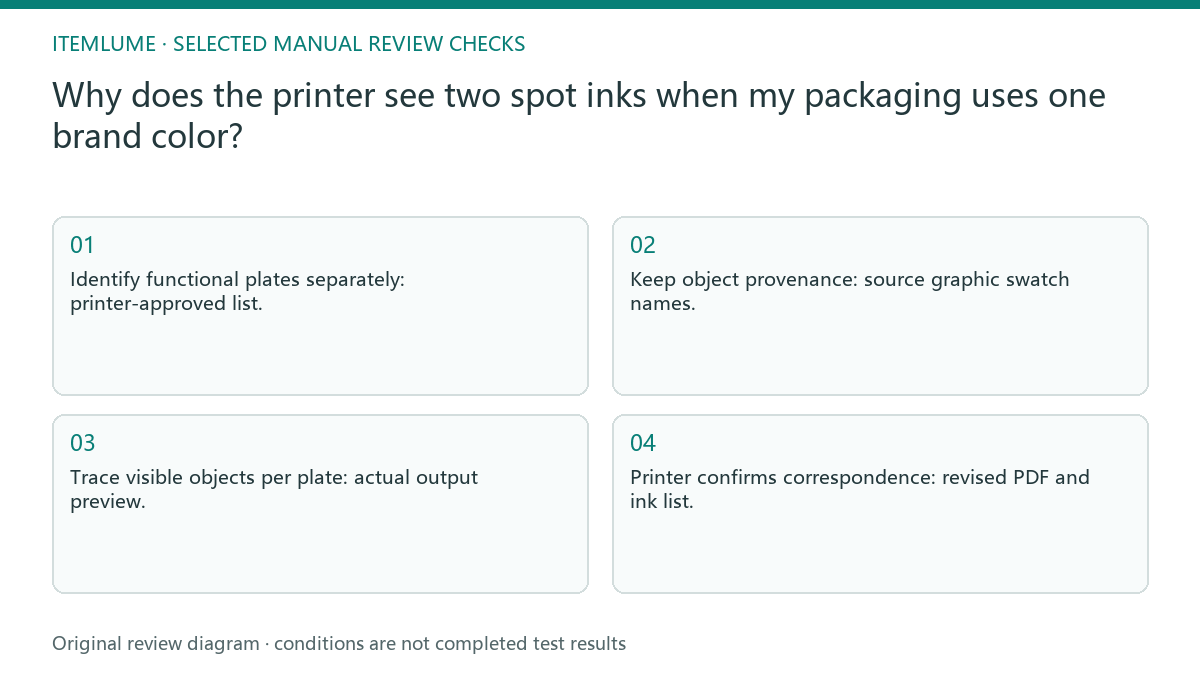
- Identify functional plates separately: printer-approved list.
- Keep object provenance: source graphic swatch names.
- Trace visible objects per plate: actual output preview.
- Printer confirms correspondence: revised PDF and ink list.
A placed tea-box logo brings another spot name
Fictional exercise: a tea box has one approved brand spot ink, but its placed logo introduces another similarly named spot swatch. The operator records both definitions and the objects on each plate. The printer decides whether they represent the same required ink; matching screen previews alone cannot authorize the merge.
For the fictional tea box, retain a before-and-after separation list alongside the revised PDF. The printer can compare the objects on the disputed plate; the artwork reviewer separately checks whether the visible logo changed. These are two approvals. If an imported logo cannot be traced to editable source, ask for that source before altering its colors. Label an unresolved plate with the objects it affects, so the printer can answer a concrete production question rather than approve an unexplained merge.
Protect white ink and other functional plates
Stop if the intended ink list is unknown or if merging affects varnish, white ink or another functional plate. Resolve the production roles before editing swatches.
If a plate’s purpose is unconfirmed, mark it unresolved. Functional production information must remain identifiable until the printer accepts the revised file. The designer and printer jointly approve separations. A packaging mockup can illustrate a brand direction, but it does not specify press plates or approve their production behavior.
Intended inks to approval: decision worksheet
| Check | Evidence to record | Review action |
|---|---|---|
| Intended inks | Printer-approved list | Identify functional plates separately |
| Imported definitions | Source graphic swatch names | Keep object provenance |
| Unexpected plates | Actual output preview | Trace visible objects per plate |
| Approval | Revised PDF and ink list | Printer confirms correspondence |
Use this matrix as a manual review record and add your own real evidence. Its conditions are not completed test results.
Sources and further reading
Sources for this page were checked on . Platform rules can change; verify the current source before publishing. Prompt examples and workflow recommendations are Itemlume editorial guidance, not independently measured results.
Frequently asked questions
Can I merge two swatches because they look identical?
Only after confirming their production roles with the printer. Matching screen colors do not establish one shared ink.
Where should I look for an extra plate?
Inspect output separations and trace the objects to imported graphics and source swatch definitions.
Does a packaging mockup approve the inks?
No. The designer and printer need the actual production PDF and intended ink list.
BUILD FROM A PRODUCT YOU KNOW
Put this workflow into practice with your own product.
Explore the relevant tool first. AI copy and concept planning are free after sign-in. Image and video generation require available credits and the applicable account access.
Open Packaging studio Check pricing and credits