 Itemlume
PRACTICAL ANSWER / AI models
Why are the feet and shoes inconsistent across my AI model images?
A reference cropped at the ankles cannot show how the model’s feet meet the ground or establish which shoes belong in the image. Treat identity and footwear as separate decisions: use a full-body reference for visible stance and proportions, and a clear shoe product reference for the intended design. Then compare images at the same scale and framing.
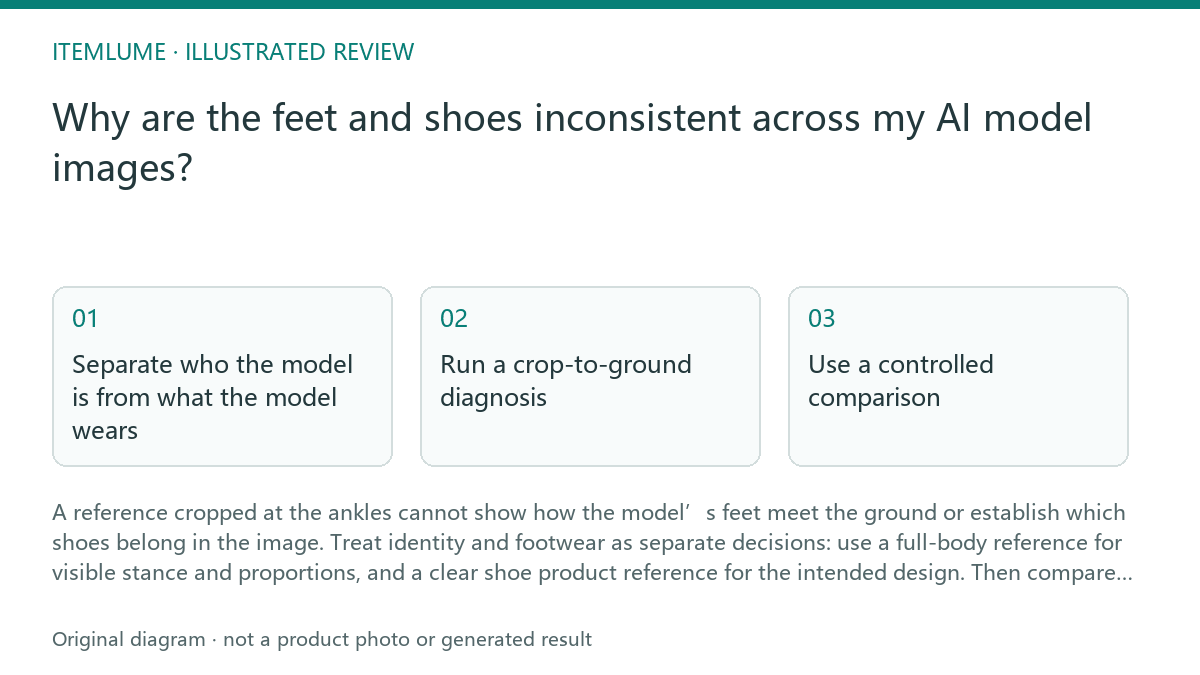
Separate who the model is from what the model wears
A face or portrait can help anchor facial identity, but it is not evidence for shoes, foot shape, stance or floor contact. A full-body image can provide visible body proportions and pose cues. Neither reference necessarily specifies the footwear product you want to show.
When the campaign requires a particular shoe, supply a distinct, legible product reference and state which details matter, such as toe shape, color blocking or sole profile. This is workflow advice, not a guarantee that generated images will preserve every detail. Review the output against the actual product image.
Run a crop-to-ground diagnosis
Compare like with like before changing the prompt. A shoe can appear different because one frame hides the heel, another crops the toe, or the foot is viewed from a different angle. A reference ending at the ankles leaves those relationships unresolved.
Use this short sequence on one representative image pair:
- Check the model reference crop. If it ends above the feet, mark stance, shoe shape and ground contact as unspecified.
- Check the shoe reference separately. Confirm the intended left and right shoes, visible color and silhouette are clear.
- Compare camera angle, distance and lower-frame crop. Match these before judging whether the shoe changed.
- Inspect the floor boundary and shadows. Look for a plausible contact point under each visible shoe, not a floating gap or fused sole.
- Only then revise the instruction or reference set, changing one cause at a time.
Use a controlled comparison
Keep the model identity reference and shoe product reference fixed while you compare outputs. Change only one variable, such as the crop or camera angle, so you can tell whether the issue follows missing evidence or the composition. This is a practical review method; it is not a documented promise of deterministic generation.
For example, in a fictional exercise, suppose a campaign set has three images: two show black low-top shoes, while a third shows a pale high-top. The model reference is cropped at the ankles, and only the first two frames show the shoe reference clearly. First align the framing, then provide a clear shoe reference for all three and inspect the ankle-to-ground area again. Do not infer that the third shoe is a product variation unless the product source confirms it.
Set a review threshold before continuing
Decide which details must match before generating more images. For a footwear campaign, that may include shoe category, dominant color, toe silhouette and visible contact with the ground. Mark hidden details as not assessable rather than guessing from a cropped frame.
Stop and replace or clarify the references when the required shoe cannot be identified, the feet are cut off in every review frame, or repeated comparisons still show conflicting footwear. Do not use an image as product evidence when its shoe details are obscured or inconsistent. A review checklist can flag uncertainty; it cannot prove fit, comfort or product performance.
Footwear consistency review
| Observation | Next check | Pass condition |
|---|---|---|
| Reference ends at the ankles | Find a full-body view that includes feet and floor | Visible stance and ground boundary can be assessed |
| Shoe color or silhouette changes | Compare each image with the separate shoe product reference | Visible design matches the approved product reference |
| Shoe appears detached from the floor | Inspect the sole edge, shadow and ground line | Each visible shoe has a plausible contact point |
| One frame hides the toe or heel | Compare at matched angle and lower-frame crop | Required shoe details remain visible for review |
Sources and further reading
Sources for this page were checked on . Platform rules can change; verify the current source before publishing. Prompt examples and workflow recommendations are Itemlume editorial guidance, not independently measured results.
Frequently asked questions
Can a face close-up keep shoes consistent?
No. It can support facial identity, but it contains no evidence for footwear or ground contact.
Should I use the model photo as the shoe reference?
Use it for visible model cues. Provide a separate product image for the intended shoe design.
When should I stop reviewing a generated image?
Stop when required shoe details are hidden, references conflict, or visible footwear does not match the product source.
BUILD FROM A PRODUCT YOU KNOW
Put this workflow into practice with your own product.
Explore the relevant tool first. AI copy and concept planning are free after sign-in. Image and video generation require available credits and the applicable account access.
Open AI models Check pricing and credits