 Itemlume
PRACTICAL ANSWER / AI models
Why does a model’s hand look like it is passing through my product?
A hand that appears to pass through a product usually combines an unclear grip, hidden fingers, weak contact cues, or a product shape that has been visually distorted. Check the hand-product relationship frame by frame, simplify the hold, and use real footage when the demonstration must prove function.
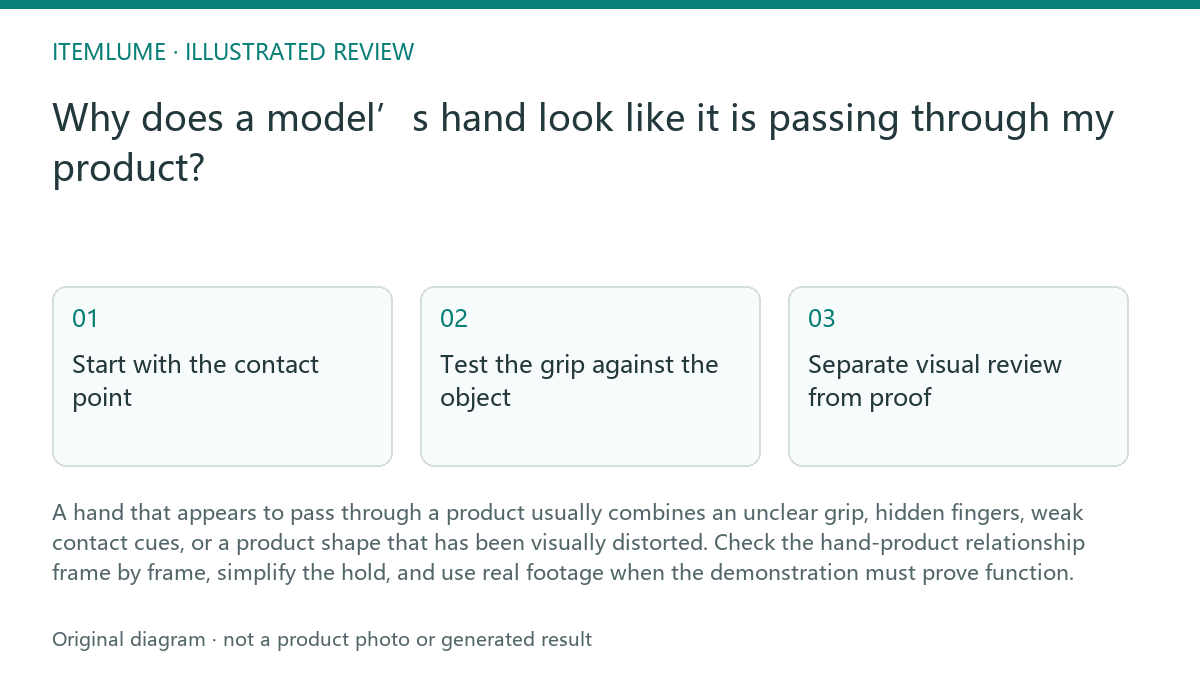
Start with the contact point
First identify where the hand should touch the product. A mug handle, rim, body, or base each implies a different grip. If the visible fingers do not wrap around a believable surface, the viewer may read the hand as intersecting the object rather than holding it.
Review the contact area at the beginning, middle, and end of the action. Look for a stable occlusion boundary: the product should hide the correct part of the fingers, while the fingers should hide only the product area they would physically cover. A changing boundary without a matching movement is a strong warning sign.
- Pause on the first frame where the hand touches the product.
- Mark the intended contact surface and count which fingers should be visible.
- Check whether the hand moves with the product rather than sliding independently.
- Inspect the final release or repositioning frame for a second intersection.
- Stop the generated concept review if the same contact error remains after one simpler grip revision; record the failure and use real footage for functional proof.
Test the grip against the object
Grip pressure must match the product. A rigid ceramic mug should not visibly buckle beneath light fingers, and a delicate object should not appear to support an implausible squeeze. Compare the finger spacing, thumb position, and wrist angle with the object’s geometry before judging the model’s anatomy.
A simpler pose is usually easier to review: hold the mug by its handle, support its base with an open palm, or place it on a surface before showing the next action. These are workflow choices for the brief, not a guarantee of generated physical accuracy.
Separate visual review from proof
Use generated video to inspect composition, hand visibility, label exposure, and the order of an interaction. Do not treat a convincing-looking grip as evidence that the product is rigid, comfortable, leakproof, safe, or correctly sized. Itemlume does not prove fit or product performance.
When the product claim depends on real pressure, balance, pouring, closure, or material response, add a separately captured demonstration. Keep the generated sequence as a visual planning reference if useful, and label the real footage as the evidence for the claim.
Run a final review before approval
Review the full action without pausing, then inspect the suspicious frames at normal speed and frame by frame. Check whether the product remains rigid, whether the grip stays consistent, and whether the hand hides a label or feature that the brief requires viewers to see.
Approve only when the interaction reads clearly without explanation. If the pose still depends on an invisible finger, a shifting contact boundary, or an unproven physical claim, revise the shot or replace it with a simpler action and real demonstration.
Product-hand interaction review
| Observation | Next check | Pass condition |
|---|---|---|
| Fingers appear inside the mug body | Pause at first contact and compare the occlusion boundary | Fingers remain behind or around a visible surface throughout the hold |
| Ceramic mug looks compressed | Compare pressure cues with the mug’s rigid geometry | Mug keeps its shape; grip looks supportive rather than crushing |
| Thumb and fingers switch sides | Track the hand across three checkpoints | The same grip orientation is maintained unless the action clearly changes |
| Handle is hidden by the palm | Check whether the intended handle interaction is still legible | Handle and contact point remain visible enough to understand the action |
| Pouring or closure is presented as proof | Replace or supplement the shot with real product footage | The claim is supported by a real demonstration, not generated appearance alone |
Sources and further reading
Sources for this page were checked on . Platform rules can change; verify the current source before publishing. Prompt examples and workflow recommendations are Itemlume editorial guidance, not independently measured results.
Frequently asked questions
Should I keep repairing a complex grip?
No. After one simpler grip revision, stop if the contact error remains and redesign the action or use real footage.
Can a generated clip prove that the mug is rigid?
No. It can support visual planning, but material behavior and product performance require real evidence.
What is the clearest alternative to a hand around the mug body?
Use the handle, support the base with an open palm, or place the mug on a surface before the next action.
BUILD FROM A PRODUCT YOU KNOW
Put this workflow into practice with your own product.
Explore the relevant tool first. AI copy and concept planning are free after sign-in. Image and video generation require available credits and the applicable account access.
Open AI models Check pricing and credits